
User Guide
Every page and option of the app, for the seafarer and the family.
Last checked: 24 November 2026
Download the PDF Troubleshooting Guide
For SeafarerSafe 2.29.0. The screens show a sample vault with made-up details.
Getting started
SeafarerSafe opens in your phone's browser at app.seafarersafe.com. Add it to your home screen and it works like any other app, on Android and iPhone.
Sign in with your Gmail. The first time, tick the box to say you are 18 years or older and have read the Terms of Use and the Privacy Notice. No date of birth is asked.
The seafarer then makes the vault and chooses a vault password. Print or save the recovery sheet at once and keep it at home, sealed. It is the only way back in if the password is forgotten.
- Your vault password is not your Gmail password. Nobody, including LEX DUX, can see it or reset it.
- A vault password needs at least 8 characters. Three words of your own and a number are easy to remember and hard to guess.
- Family members sign in with their own Gmail, on their own phones.
Today
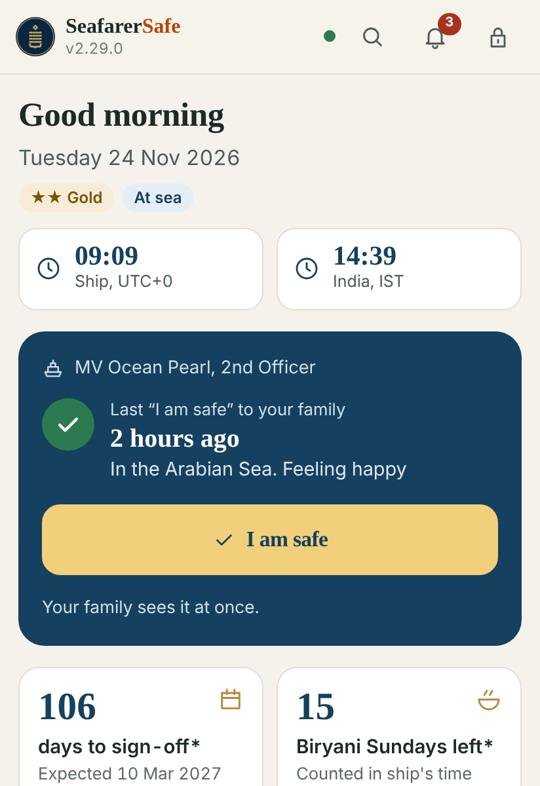
Today is your first page, and everything that matters is on one screen. At sea it shows the ship's time and India time, when you last told your family “I am safe”, and your counters: days to sign-off, Biryani Sundays left, days on board, days to go for NRI status, sea miles and milestones collected. Amounts of money are never shown here.
Below the counters, Needs you lists what to do first, such as a paper that runs out before sign-off, with a line on why it matters. Coming up shows the next 30 days. Quick actions give one tap to add a document, take a photo, see where the ship is, write in the diary and more.
Today changes with your contract. Before you join, it shows the days to sign-on and the papers to check. Ashore, it shows your NRI days and, if they are not complete, the last date to join your next ship.
- The tabs at the bottom are Today, At sea, Documents, Assets and More. Search and alerts are at the top.
- “I am safe”: one tap tells the family you are safe, with your mood, the ship's time and the sea area you choose to share. Gold and Platinum.
- Each counter has a small note with an asterisk, showing the ship and the dates it counts from. If a date is wrong, tap “Check or edit” and correct it from your CDC.
- If the expected sign-off date has passed, Today asks “Still on board?”. Answer it, so the counters stay right.
- Pull the page down to fetch the latest. It does not lock the app.
- On Android, press and hold the app icon for shortcuts: I am safe, Today, Documents and Where is the ship.
- Small cards appear for birthdays, sign-on day and other moments.
Counters, NRI days and the 2nd Mate course
Every counter is worked out from the dates you enter: the sign-on date, the expected or actual sign-off date, and the dates you left and came back to India. When you type the sign-on date, the app reminds you that the counters count from it, so copy it from your CDC.
NRI days: the tax year runs from 1 April to 31 March. At sea, Today shows the days to go for NRI status. When you sign off before they are complete, the count pauses and Today shows the last date to join your next ship and stay outside India until 31 March. The app reminds you 30 days and 7 days before that date, and you can add it to your phone's calendar. When you add your next contract, Today tells you whether its sign-on date is in time.
Cadets: the app asks once whether you are a deck cadet or an engine cadet. Deck cadets see the days to the 2nd Mate course, counted on every ship, against 555 days: 18 months of 30 days, plus 15 days to be on the safe side. When it is reached, the app says “Hurray, you did it, mate!”. Engine cadets see their sea time so far. The family sees the cadet's counter too, read only.
- The counters are a guide for planning only. Sea service is decided by DGMA from your CDC and Training Record Book, and your tax status is for your CA to confirm.
- The sign-on day and the sign-off day are left out of the sea time count, to be on the safe side.
- The 555-day target is set for the one-year DNS route. B.Sc. Nautical Science cadets and graduate cadets have different sea time rules. See the guide “Sea time for the 2nd Mate course” on seafarersafe.com.
Safety documents
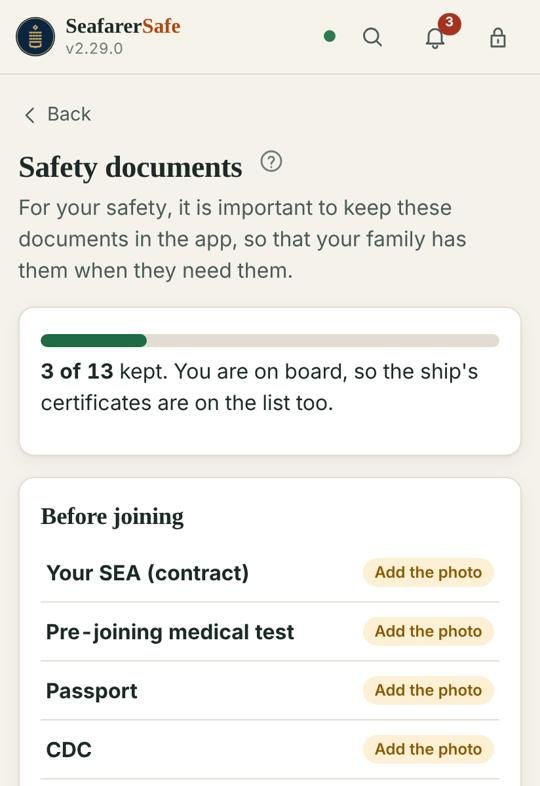
For your safety, keep these papers and contacts in the app, so your family has them when they need them. Open it from Today or from More, Safety documents.
Before joining: your SEA, the pre-joining medical test, passport, CDC, and the copy of the Next of Kin declaration given to the office.
After joining the ship: photos of the Document of Compliance (DOC), the Safety Management Certificate (SMC), the Maritime Labour Certificate, and the two certificates of financial security under the MLC (A2.5.2 and A4.2.1). They are displayed on board, for example outside the Master's cabin or in a public place.
Contacts: the crewing manager at your RPSL office, the crewing office's after-hours number, and the DPA.
- Tap any line to add it. A green “Kept” means it is done.
- While you are signed on, the app reminds you every 15 days until the list is complete. It also reminds you once, 14 days before sign-on, if a pre-joining paper is missing.
- The app never locks you out because something is missing. It only reminds you.
- On Silver you keep the numbers and dates. Photos of the papers need Gold.
- The family sees only a count, such as “9 of 13 kept”.
Documents and the document reader
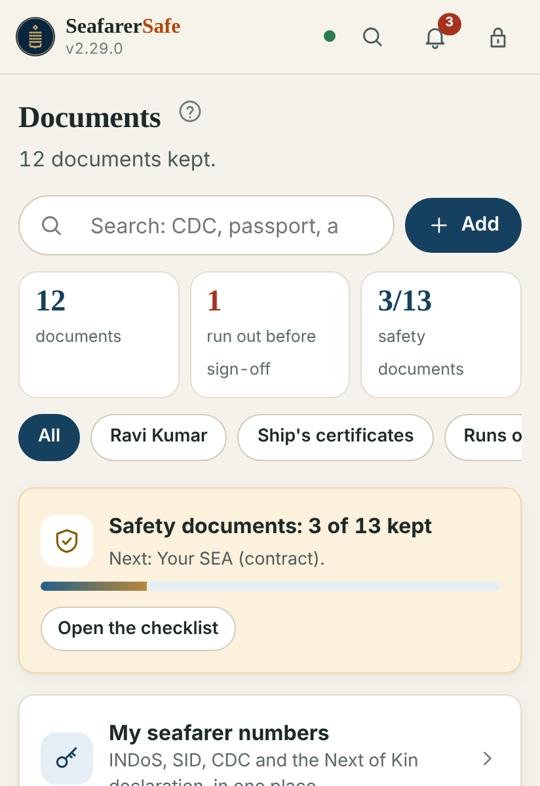
Documents holds every paper of the family: its number, the issue and expiry dates, and where the original is kept. Reminders come months before a passport, CDC, COC, medical or visa runs out.
At the top: a search box, an Add button, and chips to show only one person's papers, the ship's certificates, or the papers that run out before sign-off. A red dot means expired or running out before sign-off, an amber dot means renew soon.
My seafarer numbers keeps your INDoS, SID, CDC and Next of Kin declaration in one place.
- Gold and Platinum keep a photo or PDF of each document: 150 scans and voice notes.
- The document reader: choose a PDF or take a photo, and the app reads the details and fills the form. It reads on your phone only. Nothing is sent anywhere. Check each line before you press Save.
- When the reader finds your date of birth on your passport, CDC or SEA, it offers to save it on your contract, for the birthday wishes. The date stays in your vault.
- The first use of photo reading needs the internet once, to fetch the reading engine (about 6 MB).
At sea
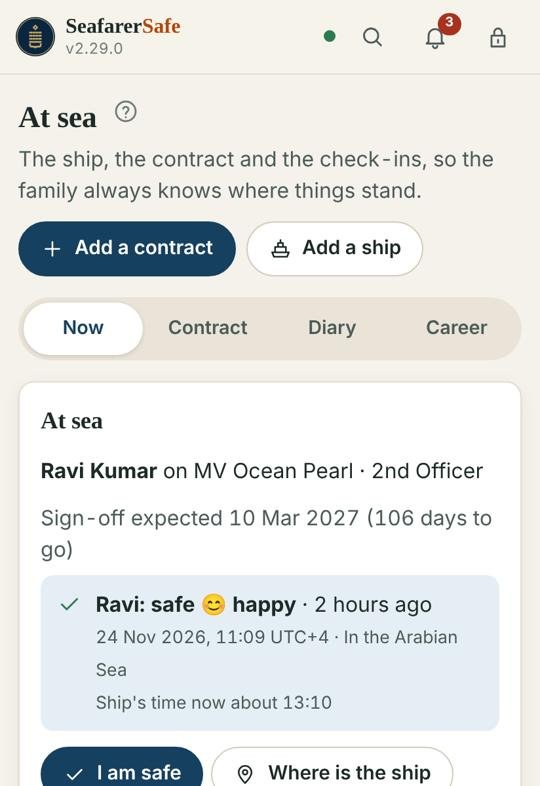
The At sea tab has four parts: Now (the ship, your day on board and the check-ins), Contract (wages, the contract and the ship's record), Diary (the voyage diary, sea miles and milestones) and Career (sea time, My CV, NRI days and agency checks). The family sees the ship's clock next to their own, and whether it is a good time to call, from the watch times you enter.
- Ships: the ship's name, IMO number, the manager, the DPA, the RPSL office crewing manager, the after-hours number, the ship's email or phone, the P&I club and the financial security details.
- Contracts at sea: sign-on and sign-off, rank, wage and allotment, and your best shipmate's number if they agree.
- Check-ins: every “I am safe” in order, with the date, the ship's time and the sea area.
- Voyage diary: the Equator, canals, shore leave and notes. You choose what the family sees.
- Sea time, NRI days, My CV, and Sea miles and milestones are worked out from your contracts.
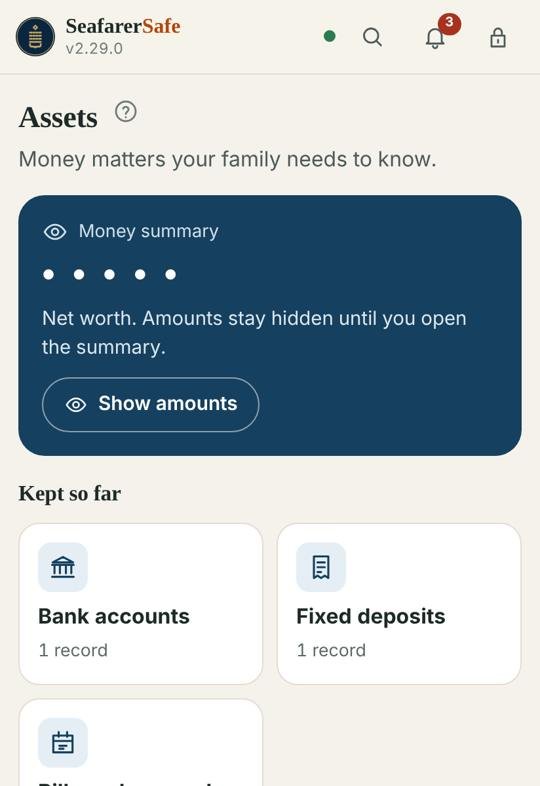
Assets and More
Assets holds the family's money matters. Amounts stay hidden until you open the money summary. “Kept so far” shows what you have added, and “Add more” lists what you can add next.
More is grouped: Platinum services, Help and services, Family, Vault tools, Password and security, and Help. A search box at the top finds any item.
- Invite a shipmate is in More, under Family.
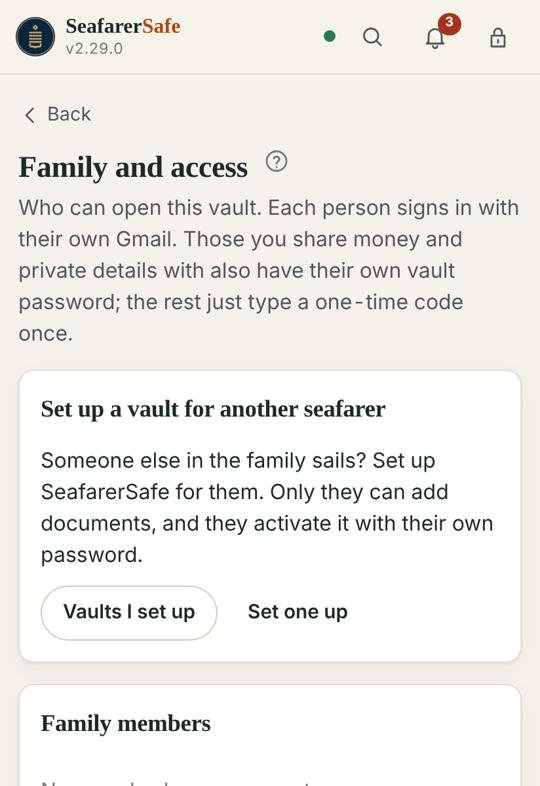
The family, and who sees what
Family and access is where the seafarer adds family members by their Gmail. On Silver, one family member can view the written records. Gold allows up to 4 family members. Platinum has no limit.
- “Can view” shows everything chosen for them. “Can view and help” also lets them tick the allotment, rent and bills, keep the contacts, and help you back in if you forget your password.
- Who sees what: choose, person by person, who sees documents, money matters and the diary.
- Parents and grandparents who do not see documents or money type a one-time code once. After that the app opens like any other app on their phone.
- Only the seafarer adds or deletes documents and records.
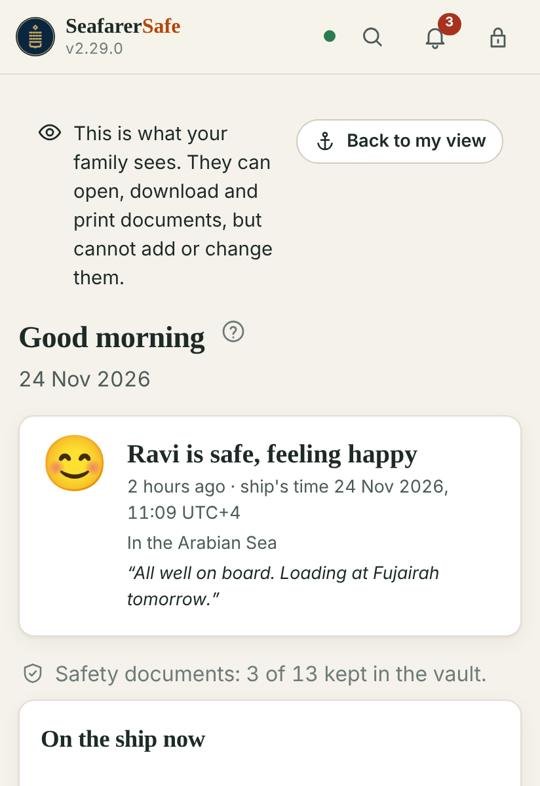
What the family sees
On their own phone, each family member sees when the seafarer last said “I am safe”, the ship's time, whether it is a good time to call, and the days to sign-off. They can ask “How are you?” from the app or on WhatsApp.
- Alerts: on Gold and Platinum, a family member can turn on an alert on their phone for each “I am safe”. The alert carries no message and no position.
- Help close by: the DPA, the ship's phone and email, and the best shipmate, when the seafarer adds them.
- The family is greeted by first name, with “ji”.
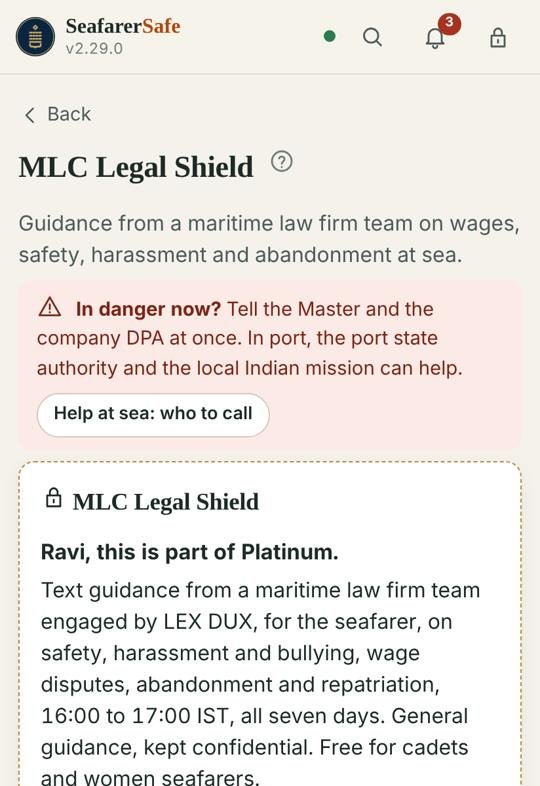
MLC Legal Shield (Platinum)
The seafarer can write to a maritime law firm team engaged by LEX DUX about safety, harassment and bullying, wage disputes, abandonment and repatriation. Replies come from 16:00 to 17:00 IST, all seven days. It is general guidance, kept confidential. It is never shared with your company or anyone else.
- The app asks the category, the ship, the IMO number, your name and rank, and where the ship is, before the first message. Anonymous messages are not answered.
- Cadets: before the first matter, send a photo of your cadet ID card or INDoS page from the Shield page. LEX DUX checks it once, usually within one working day.
- Formal advice, a legal notice or a court case needs a separate engagement.
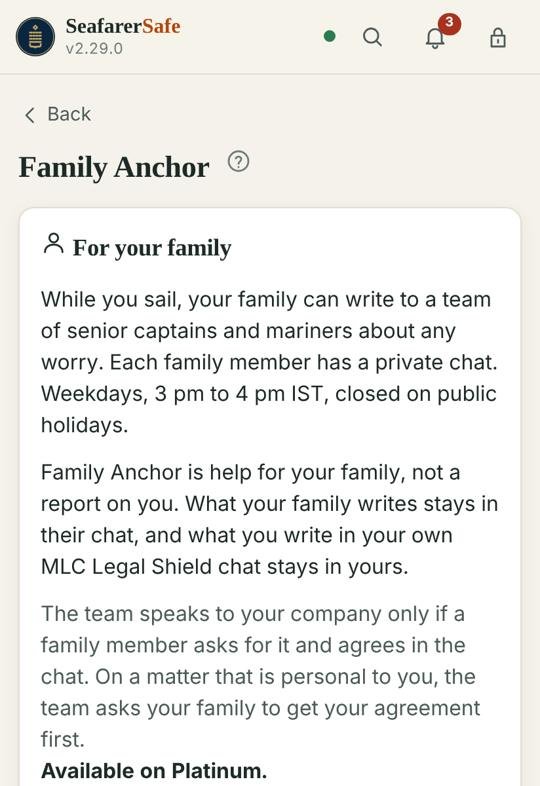
Family Anchor (Platinum)
On Platinum, each family member has a private chat with a team of senior captains and mariners. They reply on weekdays from 3 pm to 4 pm IST. The support hour is closed on public holidays.
- The seafarer and other family members do not see your chat.
- If speaking to the company would help, the team asks you first and tells you what it would say. On matters personal to the seafarer, the seafarer's agreement is needed too.
- It is not an emergency service. In an emergency, call the company's DPA at once.
Money matters at home
Assets holds bank accounts, fixed deposits, savings schemes, shares, property, rent, insurance, loans, bills and renewals. Details only: never type net-banking passwords, PINs or OTPs into any app.
- Money summary: what the family has and owes. Amounts stay hidden until you open it.
- Maturity calendar: deposits and schemes by the month they mature.
- Income this year: interest, rent and dividends, for the tax return.
- Where is everything: where each original paper, key and valuable is kept.
- Print: the full family register, or a one-page family sheet. Backup: a locked backup file and an Excel export.
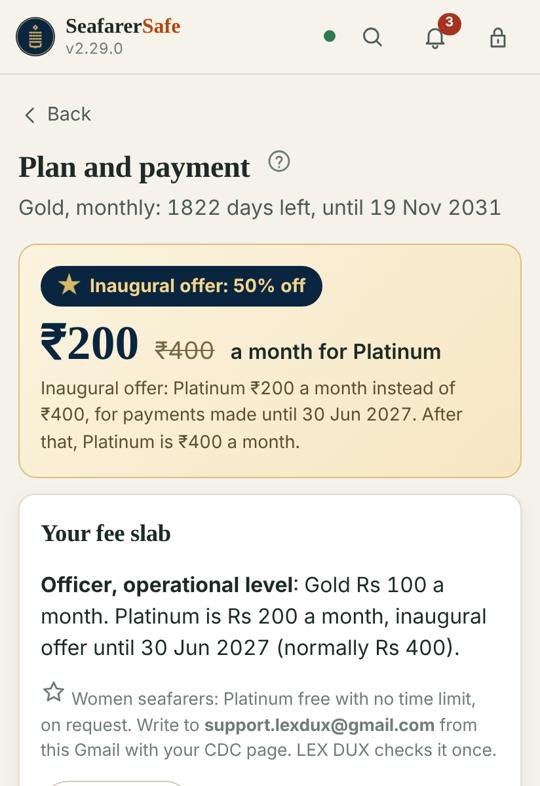
Plans and payment
Silver is free, with no expiry. Gold is Rs 100 a month, or Rs 900 a year, + GST. Platinum is Rs 400 a month + GST, and Rs 200 a month under the inaugural offer for payments made until 30 June 2027. Cadets and women seafarers get Platinum free.
You can try Gold free for 30 days. No card is needed. Stop paying and nothing is lost: you move to Silver, every record stays, and scans open again when you start a plan.
- Pay by the month, by the year for Gold, for the whole contract, or by auto-pay. The family can pay from home.
- Invite a shipmate (More): the shipmate gets one extra month of Gold on top of the free trial. You get a month when they first pay.
- Tax filing and legal help: income tax return filing at Rs 3,000 + GST, and a legal consultation for matters at home at Rs 5,000 + GST.
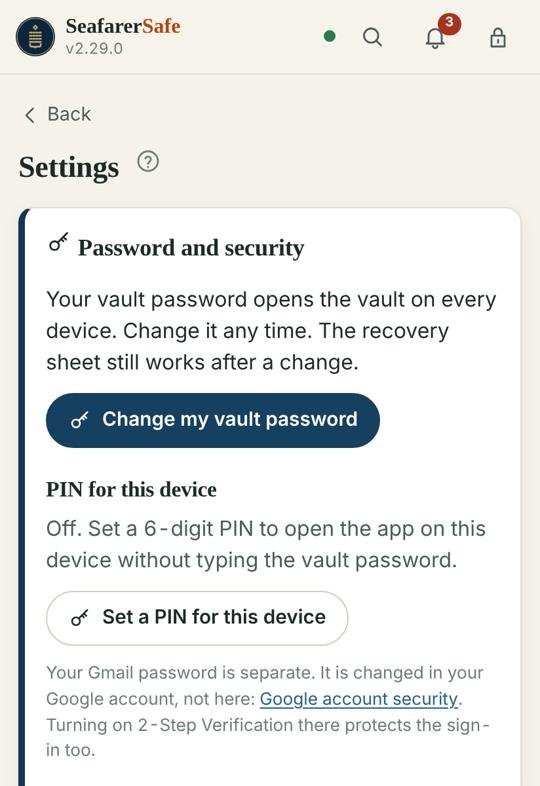
Password, PIN and fingerprint
Open More, Change my vault password, or Settings, Password and security.
- Change my vault password: choose a new one at any time. The recovery sheet still works.
- PIN for this device: 6 digits to open the app every day, on this phone only. It is never sent anywhere. After 5 wrong tries it switches off, and the vault password is needed.
- Fingerprint or face: another way to open the app on this phone.
- On a new phone, a laptop, or after signing out, the vault password is needed.
- Your Gmail password is changed in your Google account, not in the app.
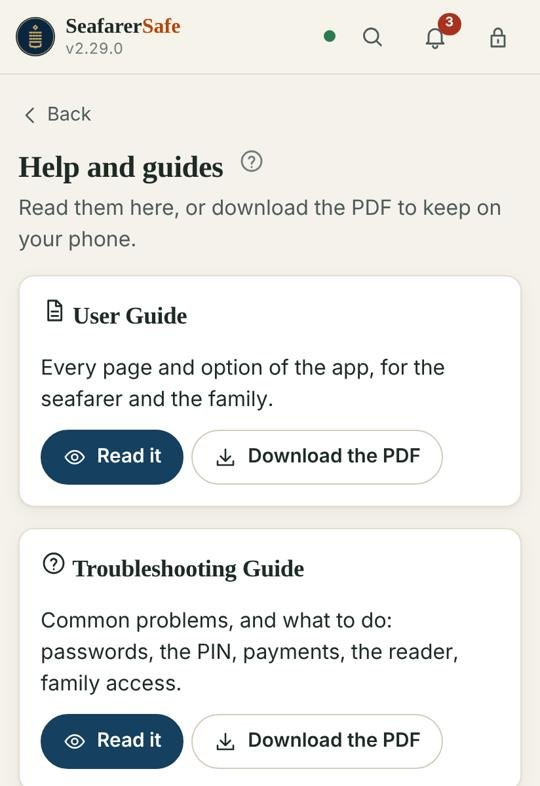
Help, and the “i” on each page
Each page shows a short note the first time you open it, explaining what it does. Tap the small question-mark button next to the page title to see it again.
More, Help and guides has this guide and the Troubleshooting Guide, to read or download. More, Suggestions and complaints lets you write to LEX DUX. We reply in the app.
- LEX DUX will never ask for your vault password, PIN, recovery code, bank passwords or OTPs.
Your privacy
Everything you save is locked and highly encrypted (AES-256) on your phone itself before it leaves the phone. Only the encrypted copy is kept, on Google's servers in Mumbai. LEX DUX cannot open your vault.
- LEX DUX sees only your Gmail, your plan and payments, counts such as how many records you keep, and the messages you choose to send to it.
- The owner can delete the vault and everything in it from Settings.